Use Wush when you need direct peer-to-peer transfer or temporary shell access without standing up a full VPN.
What is Wush?
Wush is a command line tool that lets you transfer files and open shells over a peer-to-peer WireGuard connection. It’s similar to magic-wormhole, but:- No need to set up or trust a relay server for authentication.
- Powered by WireGuard for secure, fast, and reliable connections.
- Automatic peer-to-peer connections over UDP.
- Endless possibilities with
rsync,ssh, and more.
Commands
Usage:wush <subcommand>
Start the wush server:
rsync:
| Command | Meaning |
|---|---|
cp | Transfer files. |
port-forward | Forward ports. |
rsync | Transfer files over rsync. |
serve | Run the wush server. |
ssh | Open a shell. |
version | Show wush version. |
Install
Download from GitHub Releases. We tested the program using machines running Windows and Linux (with a GUI). For Windows, extract files to a folder and drive of your choice. Transferred files will be sent to/from there. On Linux, install it using your preferred method. Files (for us) were saved/sent to/from the home directory.How to use
Now let’s transfer a PNG file from one machine to another. In this example, Windows acts as the host and Linux is the client.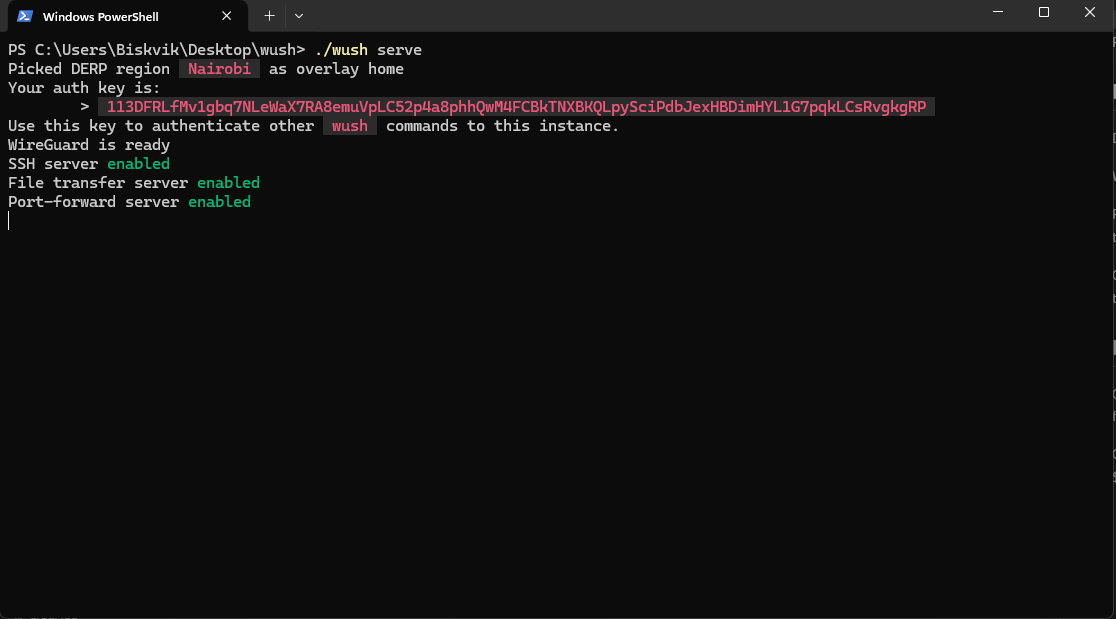
Send a file from the client
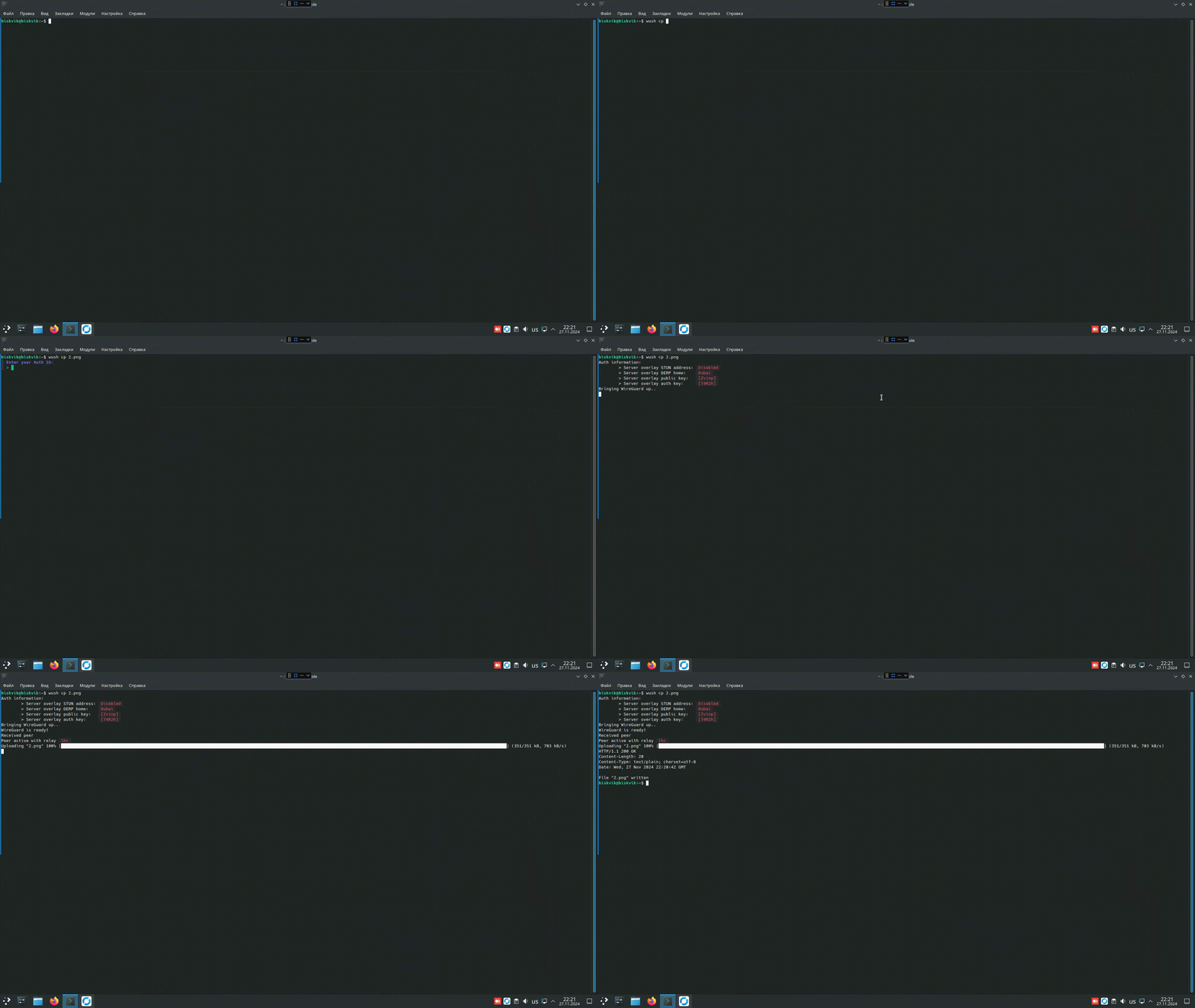
On the client machine, run: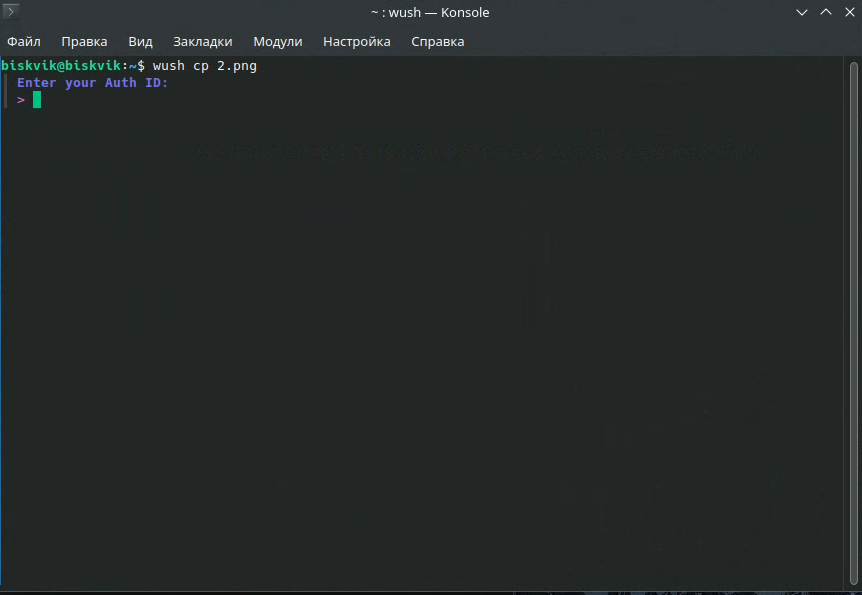
2.png is the file we want to send from Linux to Windows.